
Writing is more of a science than an art, especially if you write for businesses to get them more revenue. Google doesn’t know what good writing is. Which is exactly why you shouldn’t optimize your marketing content for search engines, at least not primarily.
Most AI tools for writing feel like filling a form and praying for the best output – a lucky draw. There’s no control. Businesses you write for grows on control.
There’s power in control, and businesses succeed on power.
If you’re using AI tools for business writing, it’s really not your own voice – it’s your thoughts channeled through the algorithm of an AI tool. The problem is, you’re either not using the right tool or not using the tool that you’re using correctly.
If you continue reading, this is going to change today…
The only way AI writing tools can help you is by avoiding writer’s block, and that’s a huge win for you or your team.
And knowing what to write is more important than how to write. The tools listed here can take care (to a large extent) of the “how”. You need to be clear about the “what”.
AI writing tools are amazing. They can generate content quickly, help you brainstorm ideas, and even polish writing to a professional level. But at the same time, there’s something about human writing that AI can’t quite replicate: the small imperfections, the personal voice with stories, and a random way of expressing personal thoughts on the topic.
You can’t let AI tools drive writing for you. You still need to work with them rather than letting the tools decide for you. If you don’t do the driving, AI tools create generic content that is totally useless.
Best AI Writing tools summarized
Beware before you start using AI writing tools
There’s this gray area where the ethical line blurs while using AI, especially as a content marketing team. AI tools create great content fast, but it doesn’t stick. It’s not memorable, you’d simply forget once you read the AI-generated content – especially if you use it as is.
I don’t have to tell how bad AI-generated content is. I’m sure you, too, must have experienced it. AI content looks cheap, and people can sense it from a mile.
It’s not just AI that’s being trained by our data, even customers train themselves with AI-generated content. They can sense it from miles away. Your customers would perceive that you didn’t have money for a professional to take care of writing and editing. Because poor editing is visible front and center.
This raises questions like:
- Where else has the author cut corners?
- Do they even take their time seriously, let alone mine?
Are you ready to let down your potential customers with these questions?
AI is incredibly good at research, but generates generic content. However, this is a good start for most use cases.
AI was a breakthrough in writing for me. In the pre-AI era, I used to research for days before I could even start writing anything. With AI, my research shrank down to hours, not days (there are always a few exception cases).
I’ve been writing since 2011, even with this vast experience, I don’t think any content marketing team should avoid using AI for creating first drafts, which they can give writers for polishing and adding that human layer.
I really don’t think humans can outpace AI tools at creating drafts, and that too matches the quality AI tools come up with.
But there’s a catch.
If you don’t want your content to sound robotic, don’t rely on a robot and publish it as is. Only humans can create human content. This post is to help you choose a tool that gives the most useful first draft, so that your team of writers can edit and make it publish-worthy faster than before.
How have I picked the best AI Writing tools
People trust people.
People you write for won’t buy if they don’t feel heard – they need help making a decision. If your content doesn’t make that happen, you just lost a sale. These 6 tools are good in their own unique way, but I will help you pick one tool that ticks the most boxes.
I’ve come up with 5 benefits that the best AI writing tool must contain. These benefits are crucial for any content marketing team to utilize the tool to its limit without compromising on the quality standards for their brand.
For each tool suggested here, I’ve come up with the following deciding factors:
- Integration: How quickly a tool integrates into the existing workflow without teams having to build the entire workflow from scratch
- Intent alignment: Tools should focus on strategy first, then on content. If you don’t have a strategy first, none of these tools can help you.
- Privacy: AI tools train on data, but you should have the right to disallow AI tools from training on your data.
- Wrappers: The tool shouldn’t be a wrapper that uses the API of primary AI models like ChatGPT & Claude.
- Specialist vs Generalist: Content creation should be the core feature of the AI writing tool.
Best AI Writing tools ranked
When it comes to ROI, there are only three things you should care about (whether or not you use AI in the content marketing workflow)
- Time from draft to publish-ready
- Editing hours saved, and
- Rank drop tracking
Tracking these KPIs gives you a clear idea of whether or not a tool is working well for you. Most comparison posts will only compare features and pricing, but in this post, you will know what it means to use these tools at a production scale.
I’ve assumed you already have content writers and a content strategy in place. These tools only amplify your efforts when you have a team of writers applying a proven strategy.
With that said, let’s explore the best AI writing tools.
#1 SurferSEO: Best AI Writing tool to rank on Google
My rating:
For those who don’t already know, Surfer SEO is an on-page optimization tool that can help you rank on traditional search and AI chat models like ChatGPT & Perplexity.
I didn’t like SurferSEO initially. I thought it steals a writer’s creativity and restricts the scope to a few keywords, and it forces the writer to over-optimize for search engines. This was before I started using the tool.
Something changed after I started using the tool. I realized that it’s not the tool that makes or breaks a writer’s creativity, it’s the content marketing strategy. I’ve used SurferSEO when working with a couple of clients, and I can say with experience that tools are just a medium or an extension of a writer.
Let’s see how SurferSEO stands for each of the factors.
#1 Integration: You can quickly integrate SurferSEO in your content marketing workflow. Like most content marketing teams, if you write in Google Docs, Surfer’s Chrome extension simply adds a layer of optimization on top of your workflow. No need to write content in the Surfer editor.
Copywriters you work with don’t need a Surfer account to use the extension; you can simply share the Google doc link and then start writing in that doc.
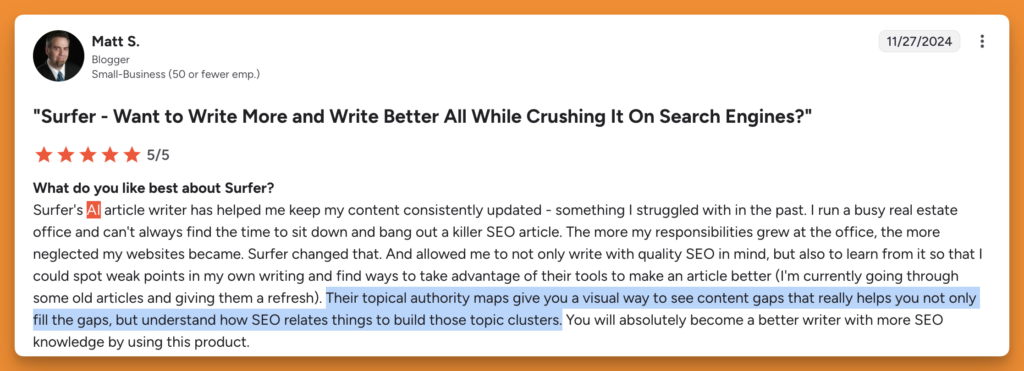
A real estate business owner said they can find gaps in their content and uplift their SEO game using SurferSEO with ease.
#2 Intent alignment: Since you’re picking topics based on a set strategy, SurferSEO can help you come up with the right content angles. SurferSEO analyzes over 500 ranking factors of top-performing pages from competitors who have already done the needful for search-intent matching.
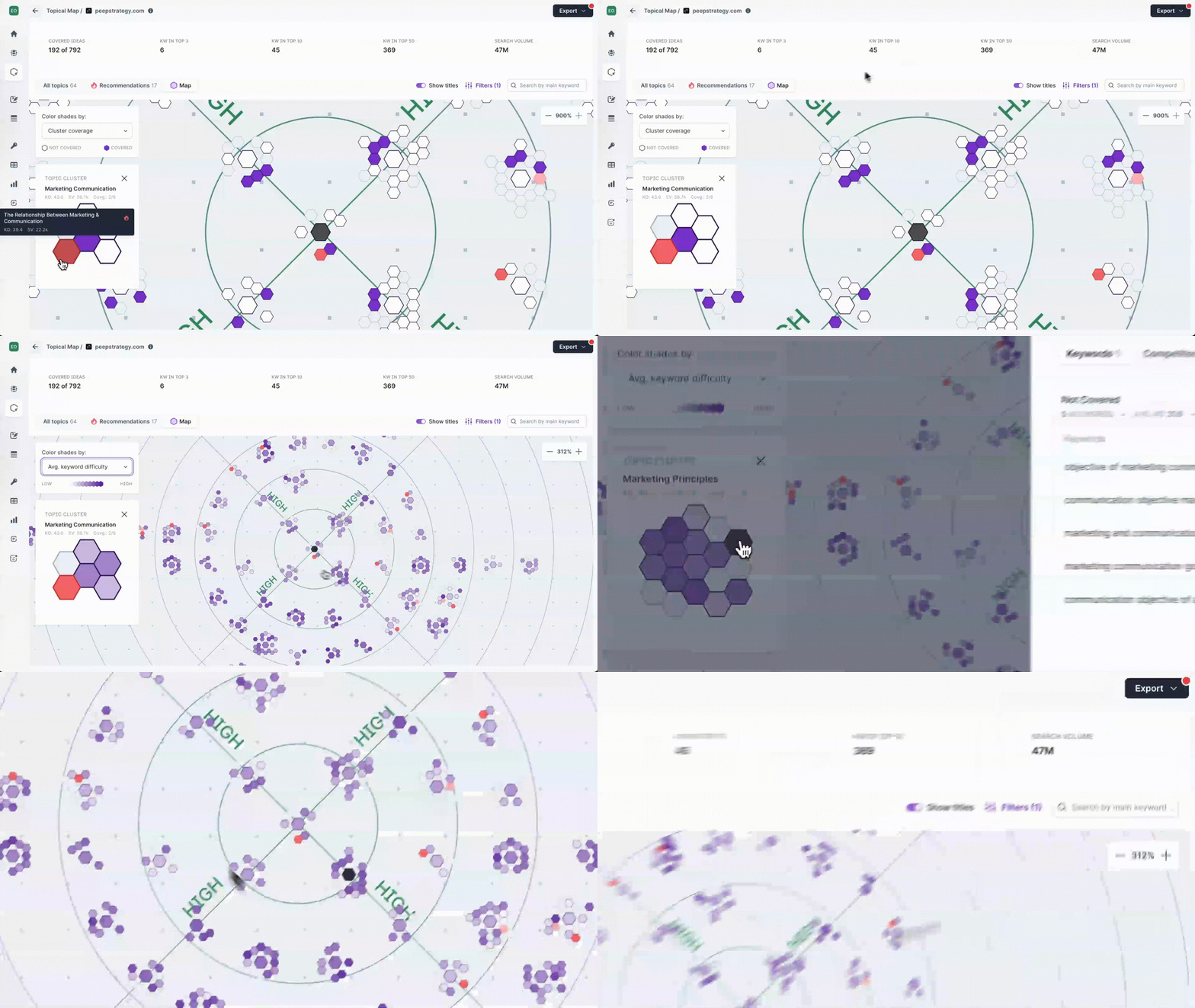
Content leaders can use topical maps to come up with content ideas that match the content marketing strategy.
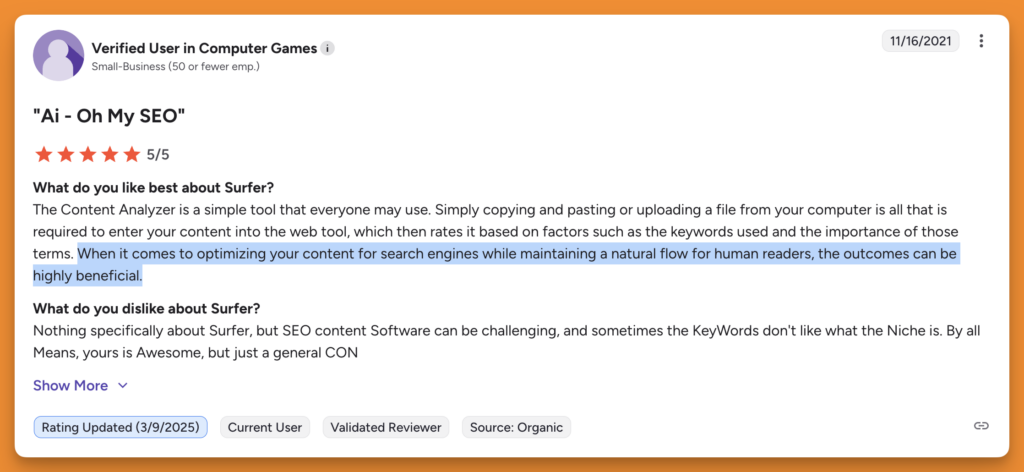
A Surfer user said the output that they get is highly beneficial for optimizing their content for search engines.
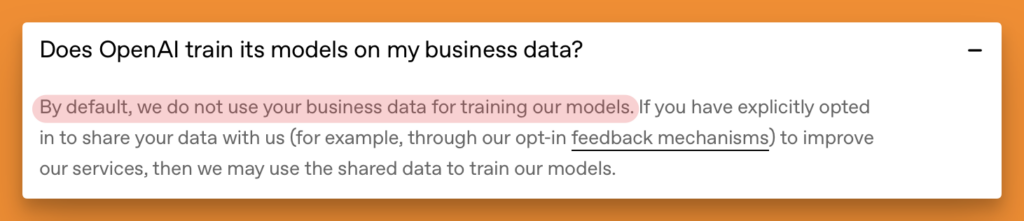
#3 Privacy: SurferSEO uses OpenAI’s GPT-4o for its AI features, and OpenAI has stated in its public documentation that it doesn’t use business data via API to train its models. This may change anytime without prior notice, so that’s something you should keep an eye on.
#4 Wrappers: SurferSEO isn’t a wrapper of an AI model, it has a proprietary scoring algorithm. It crawls the top 50 pages for a given keyword and examines against 500 on-page signals, including word count patterns, keyword density, NLP terms, heading structure, content gaps, image frequency, and page load speed.
This data becomes the foundation of Surfer’s Content Score algorithm. That’s something GPT-4o can’t do because it doesn’t have real-time access to current SERP data or the ability to crawl competitor pages. Even if this holds true in the future, it won’t be a core competency for ChatGPT.
However, Surfer AI content generator uses the GPT4o-128k model from OpenAI, which is a wrapper within the ecosystem.
#5 Specialist vs Generalist: Surfer’s core strength is creating content optimized for keywords that relate to your potential customers and search engines where they search for these keywords. Other AI models are incredibly good at several things, but not exceptionally well at things that matter the most to content marketing teams.
SurferSEO is not for you if:
- You don’t know what exactly you’re doing
- You want to one-click publish content at scale
- You think you need a ‘score’ to rank on the SERPs
- You don’t have a content marketing strategy in place
While researching for this piece, I found a review, and it perfectly summarizes what I want to say here.
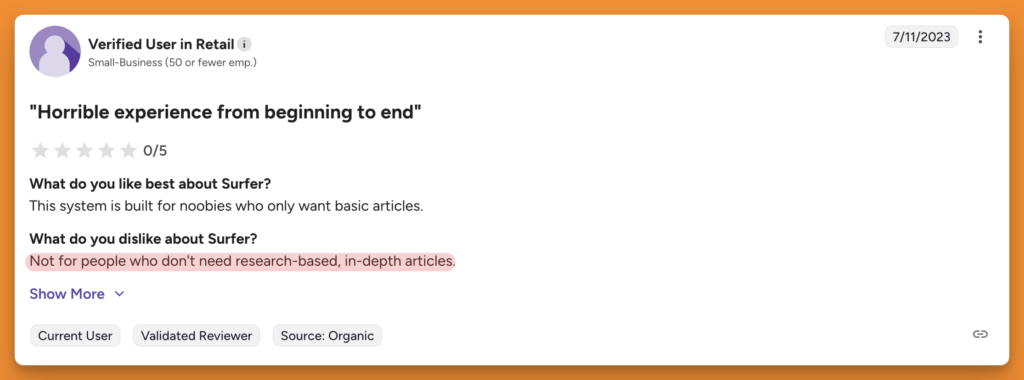
On the surface, this seems to be a bad review for SurferSEO, but it specifies who exactly should use this tool. If you want SurferSEO to come up with a strategy for you, this tool isn’t for you. Not tool can do that for you.
#2 Writesonic: Best AI Writing tool for All-in-one Content Creation
My rating:
I like Writesonic. One of the first AI tools I started trusting with content writing.
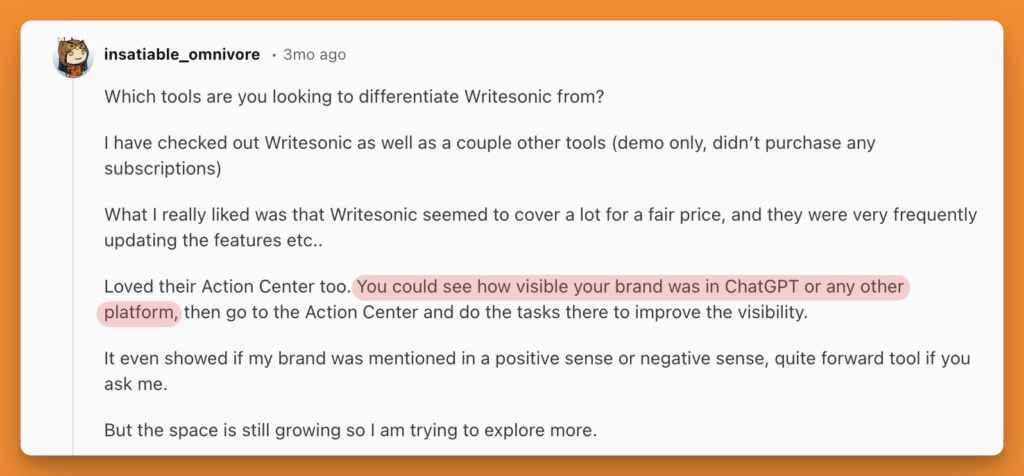
If you need help brainstorming, writing product descriptions, social media captions, email marketing materials, blog articles, while optimizing for visibility on search engines & LLMs, Writesonic can be a good option for your workflow.
Writesonic is a fantastic content generation tool, but it lacks the optimization layer that SurferSEO offers. It takes you through a detailed process of generating an article, but you skip the process of creating it, losing control of quality in the process.
Let’s see how Writesonic helps with the factors that make it the best AI writing tool.
#1 Integration: Writesonic is a great tool that integrates into your content marketing workflow to come up with blog outlines and drafts.
You can edit the generated content and publish without leaving the editor. Optionally, you can push the content to Zapier for further automations as well. Most content marketing teams operate on Google Docs.
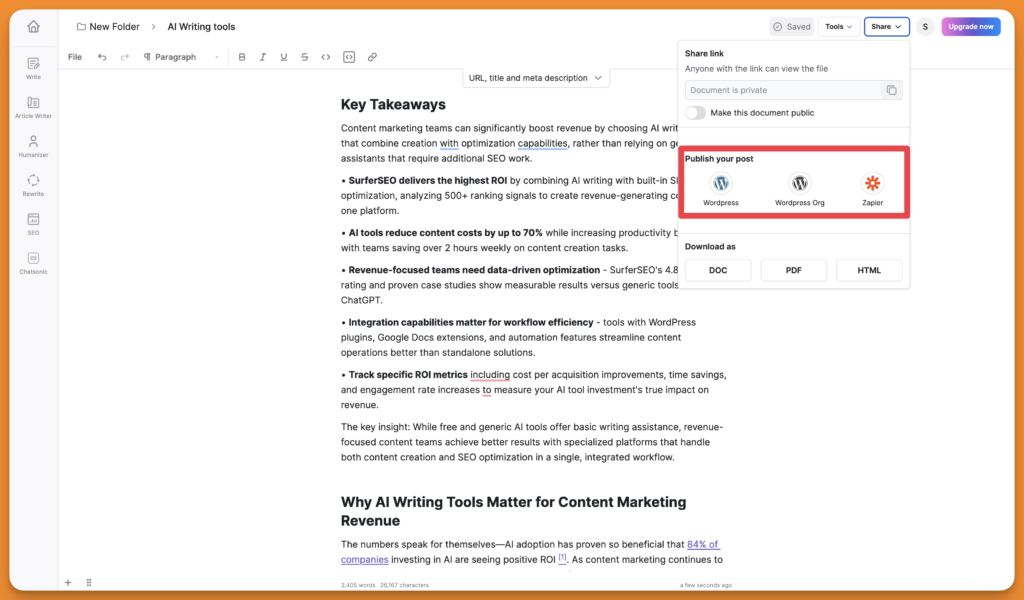
Writesonic’s editor doesn’t support Google Docs, which most content marketing teams already use for comments, tracked changes, version history, and tagging a teammate to review a section.
You generate content in Writesonic, export to Google Docs for team review, edits happen in Google Docs, and then if you need to re-optimize, you’re back in Writesonic. Before even your content gets published, it touches three platforms, just for revisions. This adds a lot of friction.
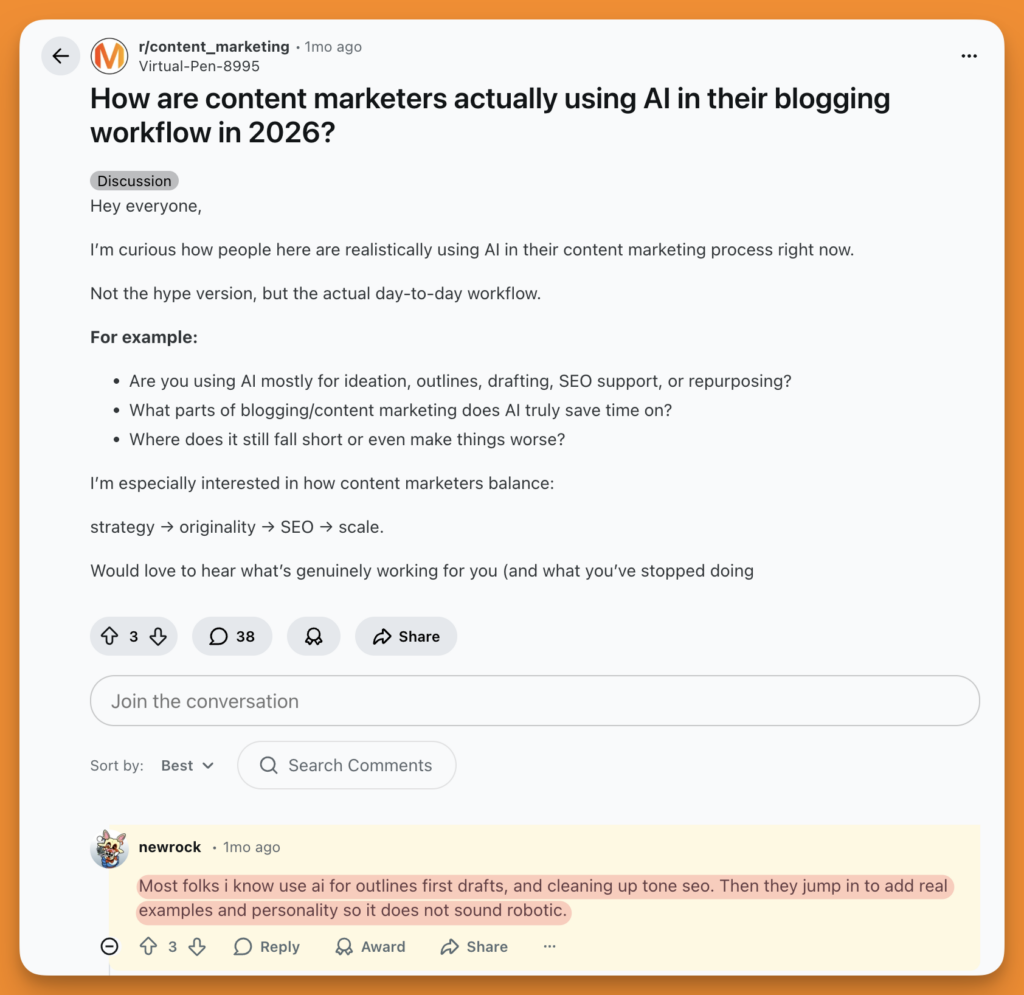
#2 Intent alignment: One thing I absolutely loved about Writesonic is that you can select primary and secondary keywords based on the target topic. This helps you cover maximum ground and optimize for topical authority by default.
Writesonic’s keyword tool labels each keyword with its search intent type, i.e., informational, commercial, transactional, or navigational, right next to search volume and difficulty scores. Using this, your content strategist can filter out keywords that are commercial when the pipeline needs bottom-funnel content. The keyword suggestion feature is so good that people can’t stop praising it on G2.
Instead of manually checking each keyword in Google and guessing the intent from the SERP, you’re making data-based decisions at the planning stage before any writing happens.
With AI search, the topical maps are more important than individual keywords. Therefore, you’ll need to create topical maps and keyword clusters on your own while using Writesonic.
While a little impractical and unprofitable, a user who rated Writesonic 4/5 stars mentioned the tool should bill based on quality and not quantity.
Since the AI-generated output is generic by default and requires a lot of post-editing, monthly word limits make the whole process inefficient.
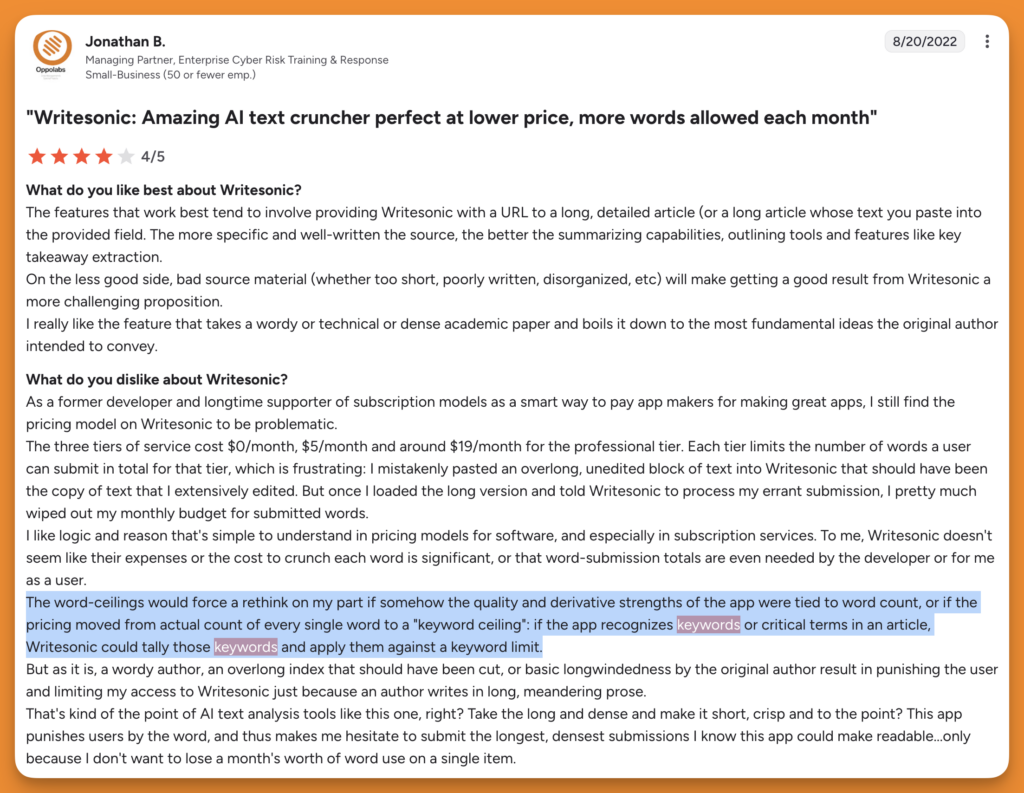
On the other hand, SuferSEO charges based on documents (with the Pro plan, you can create and optimize 360 documents every month) and not the number of words in those documents, which is good enough for most agencies and fast-growing startups.
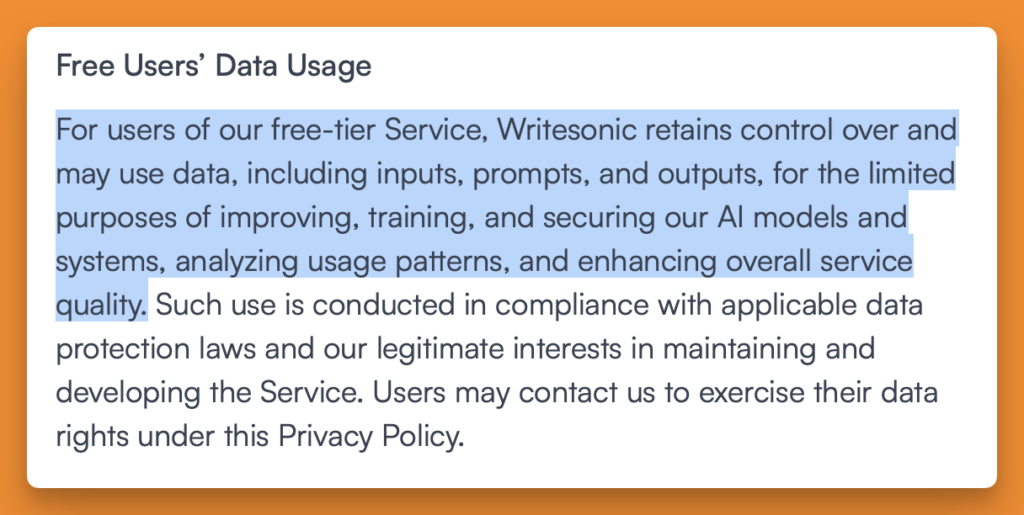
#3 Privacy: This is where things get confusing. Writesonic’s privacy policy talks about data privacy and clearly mentions that free users’ inputs, prompts, and even the output are used for training their model.
Writesonic’s article writer, at least based on their product page, runs on an OpenAI model, just like SurferSEO.
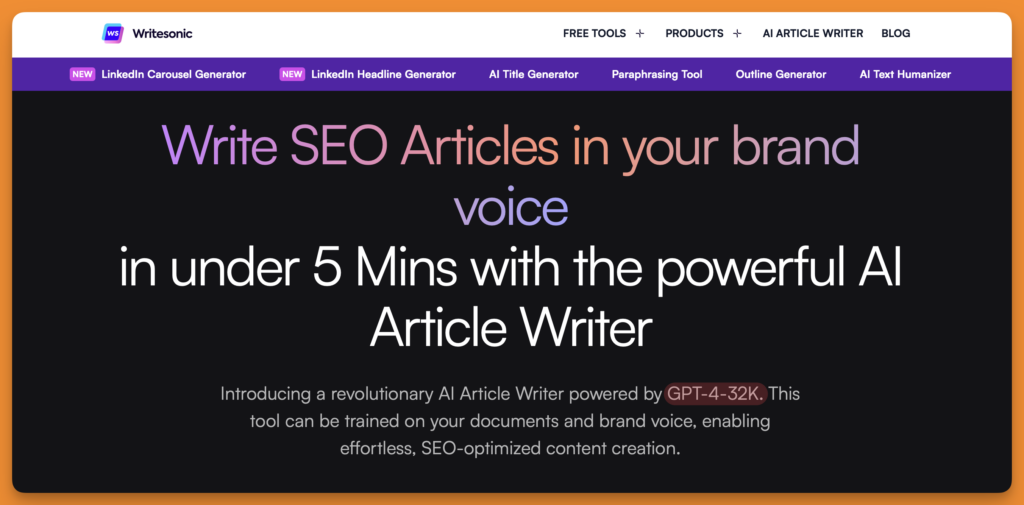
SurferSEO uses GPT-4o 128k (context window of 128,000 tokens) through OpenAI’s API, with a clear policy: your data doesn’t train their models. Writesonic uses GPT-4-32k (context window of 32,000 tokens), which comparatively older model from OpenAI.
Note: OpenAI officially announced retiring both GPT4 and GPT4o models; hopefully, SurferSEO & Writesonic will upgrade the model they use inside the app.
So the question for a B2B SaaS content team isn’t just “Does Writesonic train on my data?” It’s “How much of my data is used for training?”
That’s a harder question to answer, and Writesonic’s documentation doesn’t answer it yet.
#4 Wrapper: One thing I don’t like about wrappers is that they use a third-party API inside the app, and the quality is always questionable, and it’s beyond the creator’s control. That’s why I prefer writing content manually based on my brainstorming around the topic and questions for a content piece.
AI tools are fantastic for brainstorming, but when it comes to the quality of the generated content, things get gray.
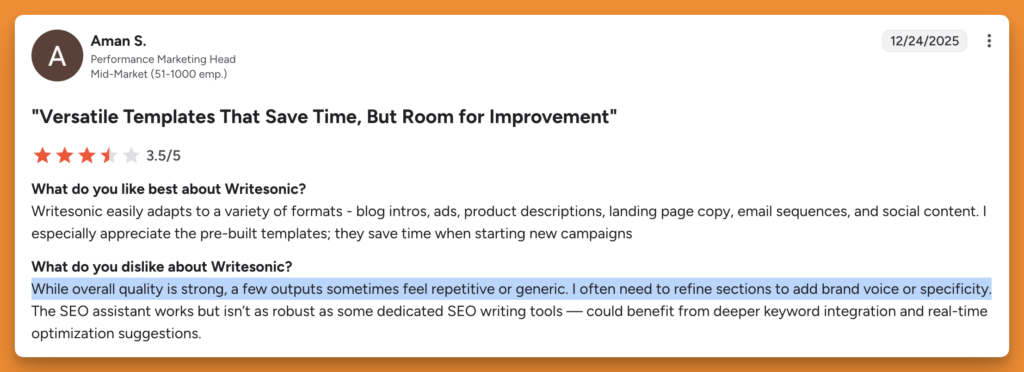
Writesonic is a wrapper of OpenAI that creates AI stiffness throughout the content created. And the same goes for SurferSEO’s programmatically AI content generation. You can check out the samples of AI-generated content on Sufer’s AI content feature page. It’s boring, dull, and screams AI.
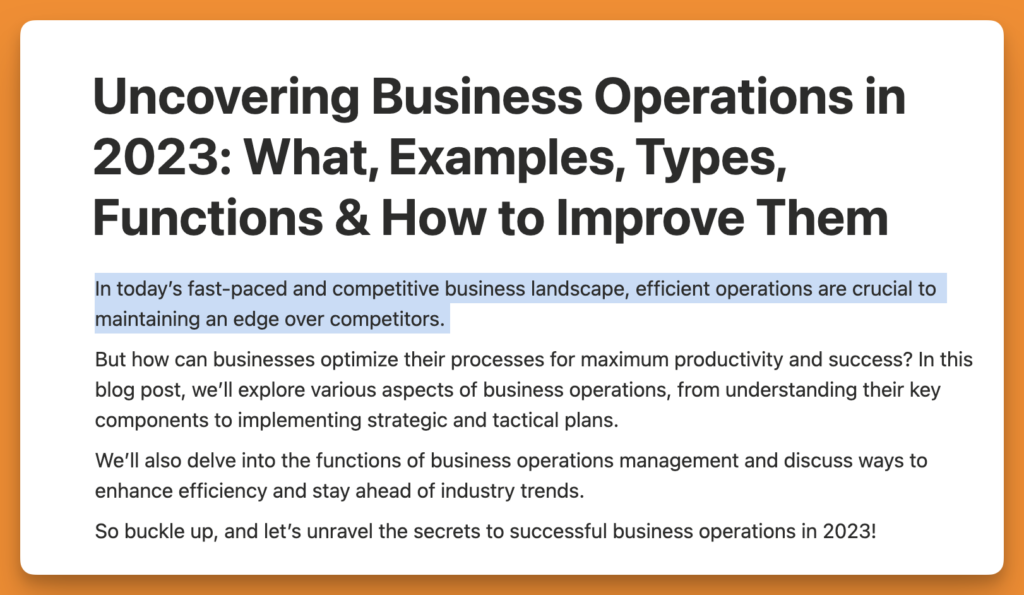
However, in the case of SurferSEO, it’s just one feature in the ecosystem, on the other hand, Writesonic’s entire ecosystem is a wrapper.
#5 Specialist vs Generalist: Writesonic is outstanding at a lot of things, writing is a core part of their offer, but if you’re looking for a tool that does long-form blogs really well, Writesonic isn’t one of them.
While I loved the 10-step process of generating content within Writesonic (it’s much better than SurferSEO, to be honest), where you have to input the context of your target topic, the output is way too generic, despite a detailed context as input.
Writesonic has a fact-checking feature, but sometimes, even that requires a manual verification. You’d rather have the content written manually with the help of keyword suggestions in SurferSEO.
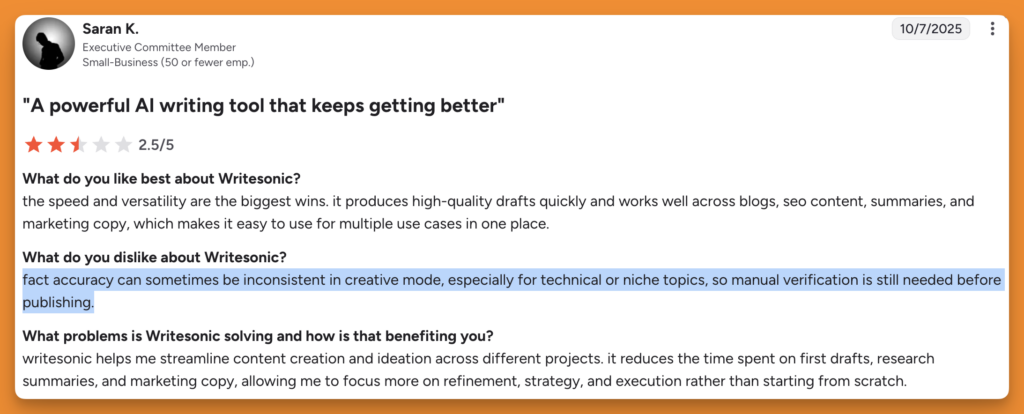
The time you save by creating AI-generated content goes into fact-checking. SurferSEO, on the other hand, lists the facts so that you can pick only the ones that are contextually relevant for your topic. You can also find sources and keywords from the guidelines section to use while using the facts.
I like how SurferSEO shows facts as insights (or talking points) that can improve the user experience while consuming your content.
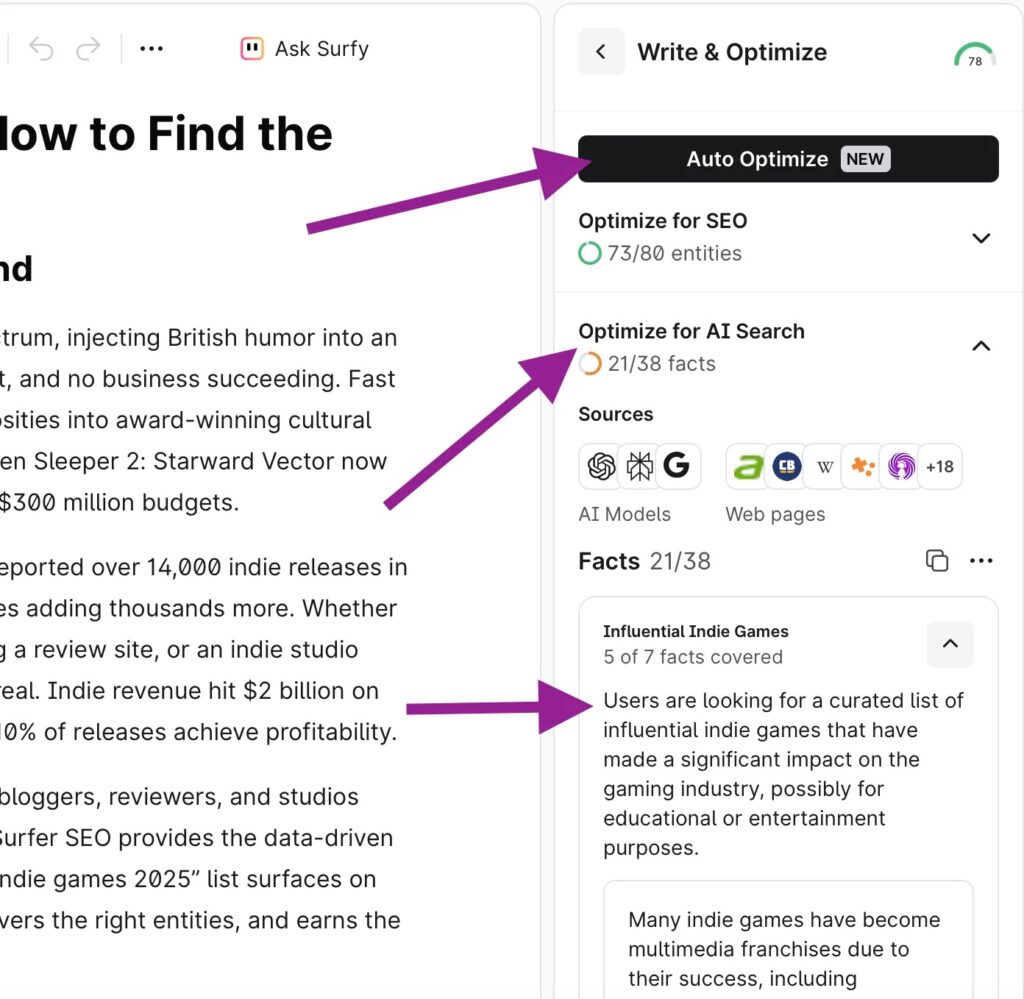
Note: You can also auto-optimize the existing content based on the facts presented. Make sure to verify the facts beforehand.
#3 NotebookLM: Best AI Writing tool For Research & Fact-Checking
My rating:
I can’t recommend NotebookLM enough for content marketing teams for internal use. If you don’t already know, NotebookLM is Google’s product that lets you define the scope of AI chats and provide sources (links, PDFs, videos).
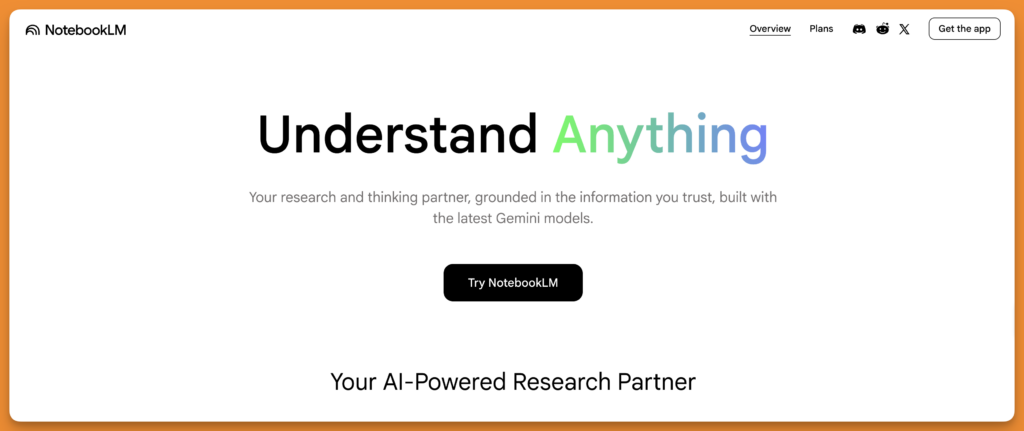
Just by narrowing the scope of AI research, you’re technically eliminating hallucinations that AI is so fond of doing. Here’s how you can get started with using this hidden gem.
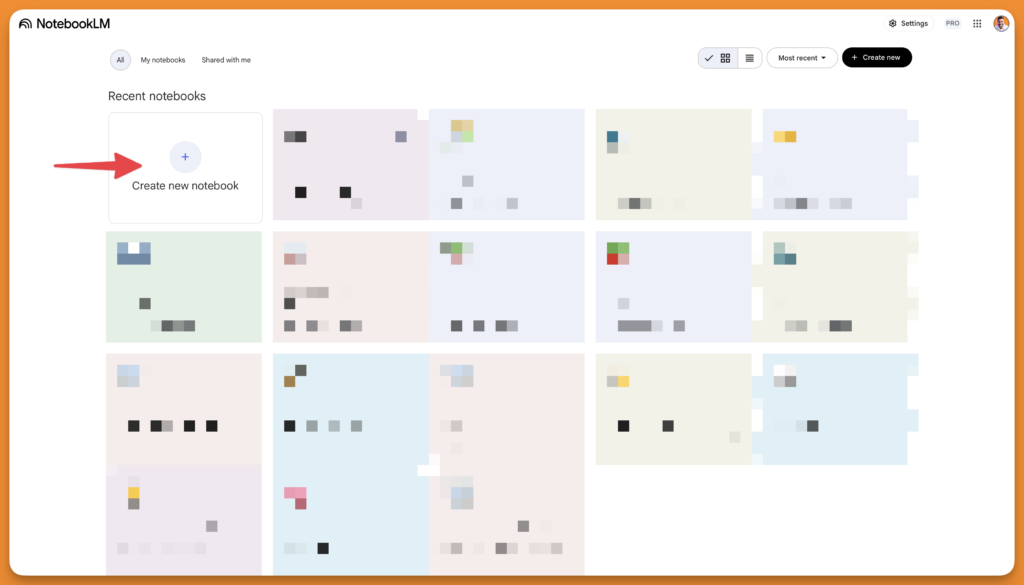
Step 1: Log in to NotebookLM and create a new notebook
Step 2: Input sources for the notebook
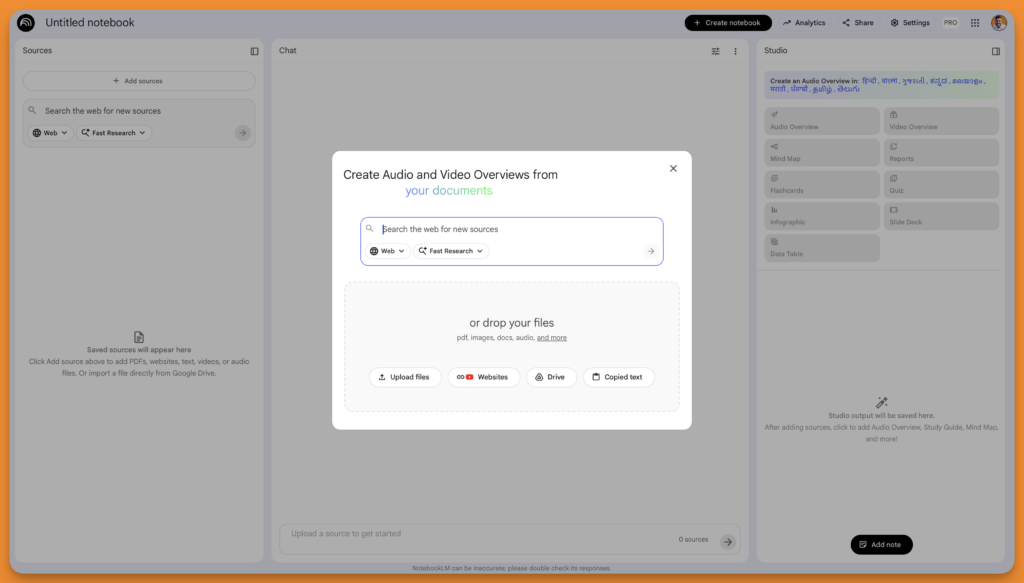
Based on the sources you input, you can then ask questions, and NotebookLM will answer based only on the defined score.
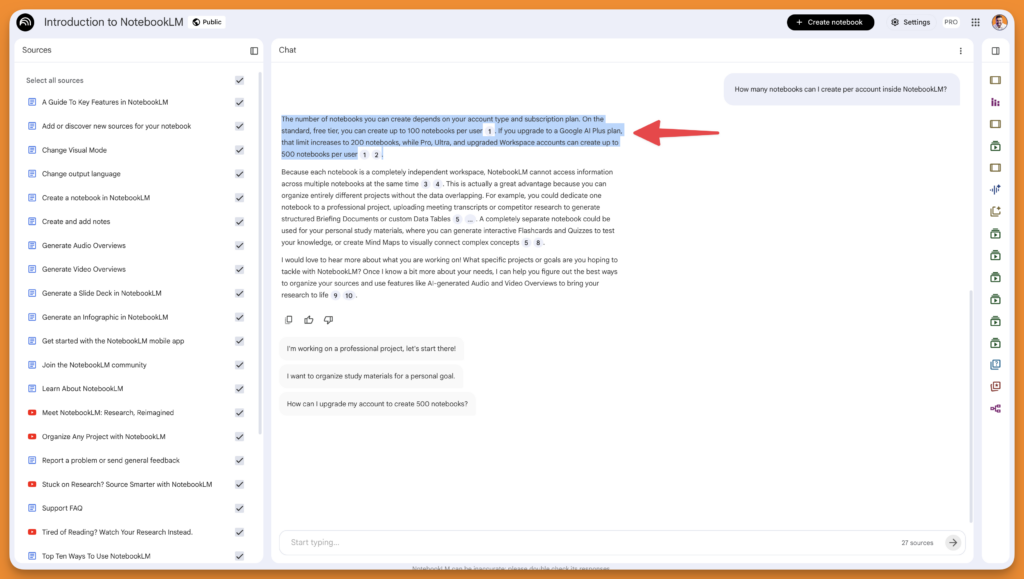
For example, a default notebook inside NotebookLM includes several sources about NotebookLM features, and I asked this question. The answer is pretty accurate and, in most cases, requires no fact-checking.
Even if you have to, you can simply click on citations and find the exact location from the source, from which the answer was picked.
While NotebookLM isn’t a writing tool, your content marketing team (or content writers) can use it to come up with talking points for the topic and get precise answers instead of hallucinations that most AI tools are prone to.
#1 Integration: NotebookLM integrates with your existing workflow pretty seamlessly. If you have a Google Workspace account, you get a pro version where you can add 300 sources, where each source can contain up to 500,000 words or be 200MB in size. These limits are a lot for most agencies and startups. You can perform a deep web search to find more sources to add to your notebook.
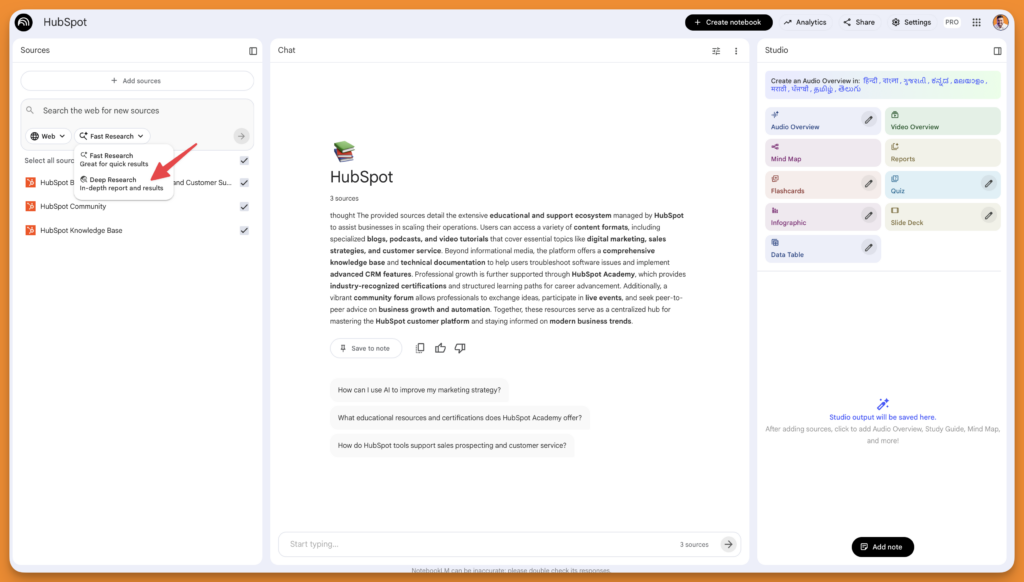
#2 Intent alignment: Aligning with the target audience’s intent in marketing materials depends on customer intelligence. Using a custom persona in chat configuration will do wonders in terms of the output.
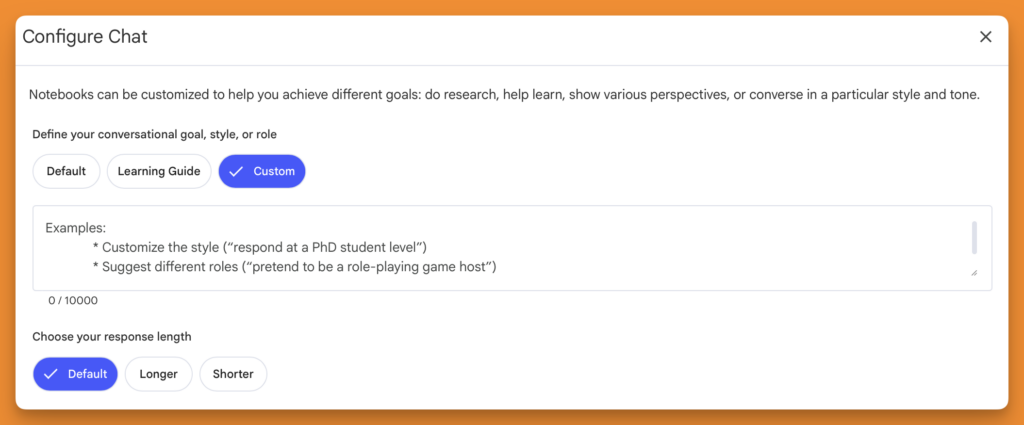
You can also input customer interactions as a source, which is a great way to come up with angles, language, and use cases that would relate to your potential customers.
Pro tip: If you’re a freelance copywriter, you can create a notebook for each client and feed as many helpful sources as you can lay your hands on in each notebook to significantly improve the output.
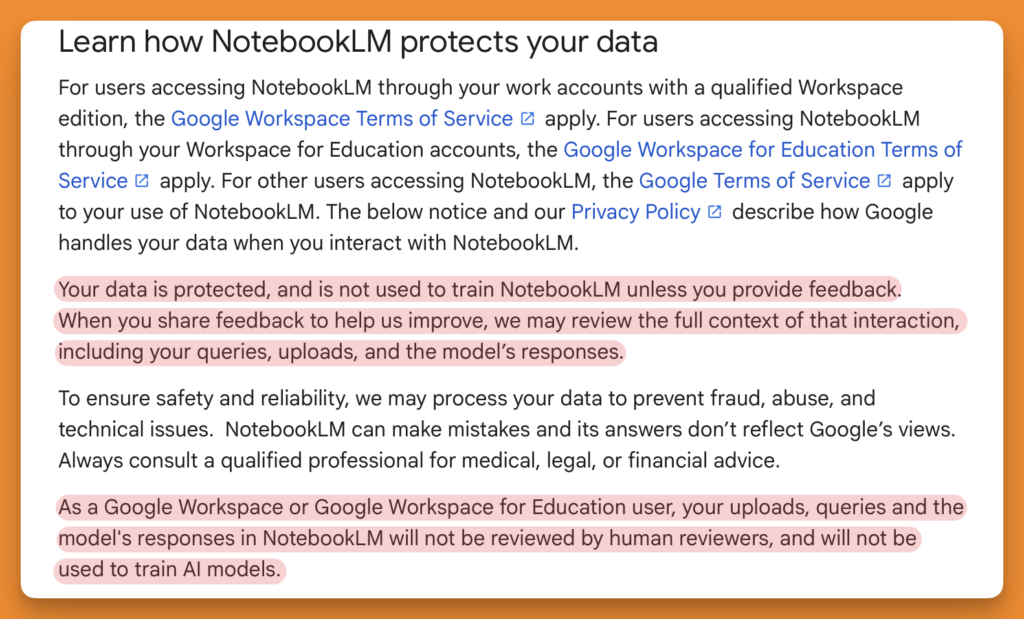
#3 Privacy: NotebookLM is powered by the latest Gemini models and aren’t third-party wrapper. So, your data is protected, and none of your sources or chats are used to train the AI models unless you explicitly submit feedback.
Furthermore, if you are a Google for Workspace or Education user(teacher or student), your data is never used to train any of Google’s AI models.
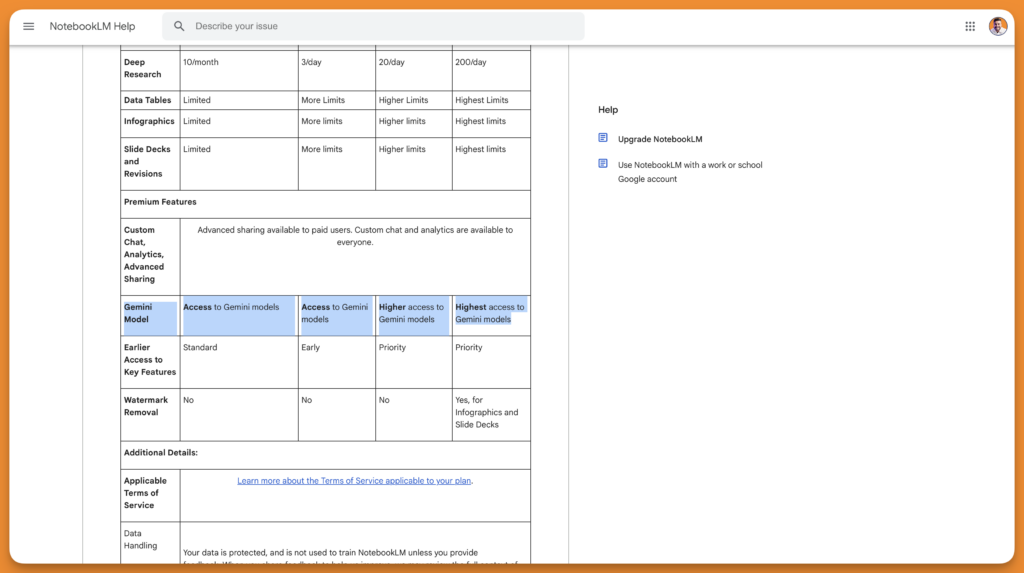
#4 Wrapper: NotebookLM is built on top of Google’s Gemini models and not any other third-party AI models. While I couldn’t find any mention of which model is used for NotebookLM, I found this page talking about the models used in each plan, but in a generic way.
However, I’ve been using NotebookLM for quite some time, and I have a Google Workspace account with a Pro subscription to NotebookLM, and I haven’t ever hit the limit. This tells me that the limits are quite generous for Pro users.
#5 Specialist vs Generalist: NotebookLM is a specialist in content research and not so much of a content generation tool. You can develop talking points based on research, but you need to have good writing skills to convert those points into arguments that make sense.
NotebookLM doesn’t rely on general internet knowledge, hence the chances of factually wrong answers are negligible. In most cases, the sources you share are verified, well-structured, and factually correct. Which is why you can fully rely on the research and brainstorming you perform using NotebookLM.
The output is as good as the sources you input. Instead of relying on good prompts, now the center of gravity revolves around the sources. The fact that you can immediately verify the citations without even leaving the NotebookLM tab makes me wonder why shouldn’t every content marketing team shouldn’t use this tool.
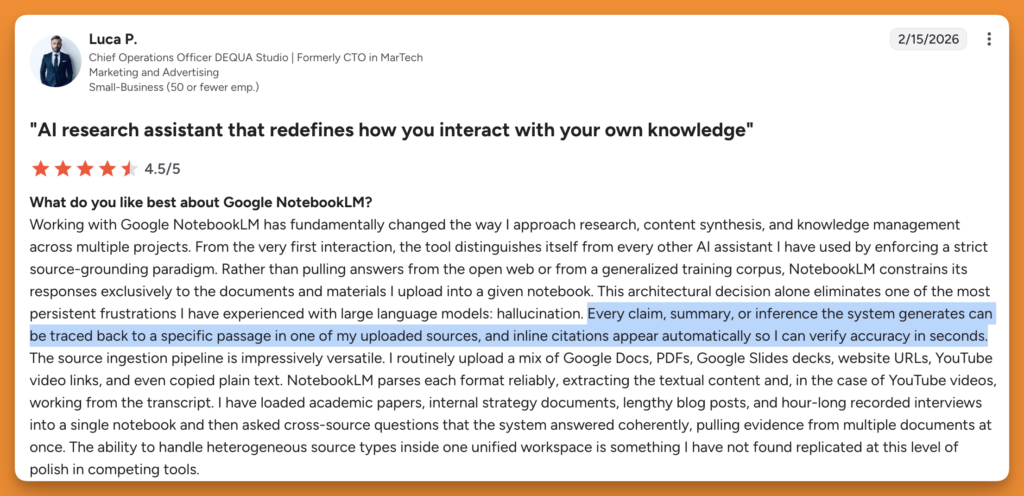
Pair NotebookLM with SurferSEO for writing, and you can create content that doesn’t require much fact-checking and doesn’t suck and scream AI.
If you create content that requires a lot of compliance and legalities with no room for mistakes or inaccurate information, NotebookLM, along with SurferSEO, will be a great addition to your writing process.
#4 Gemini: Best AI Writing tool for Deep Internet Research
My rating:
Google still has a lot of catching up to do. Google was left behind, and they simply tapped into the Android and Chrome userbase to put Gemini in the hands of over 2 billion users overnight. But that doesn’t make their models the best, they just have the largest market share because of their existing ecosystem.
I use Gemini for deep research to find nuances that don’t show up in generic AI search and SERPs. Gemini is also a good coding partner (my favourite after Claude code). I’ve developed several landing pages using Gemini and fine-tuned them using Claude Code.
Gemini still lags behind despite having access to Google’s massive web index.
#1 Integration: If you use Google Docs for your content writing workflow, Gemini lives inside your Google Docs, which can be used to rewrite parts of writing and change tone without leaving the document. However, I’ve always been skeptical about the quality of the output, thanks to the massive web index that create ineffeciencies. All of Google’s products now have Gemini integrated seamlessly to help you extract information from assets like documents from Google Drive, YouTube videos, emails from Gmail, and even Google search (AI overviews).
#2 Intent alignment: Like NotebookLM, you can upload brand docs, audience persona details, and customer interactions to control the scope of the context and hence the output. You can also use these inputs to come up with content marketing topics (for blogs, social media, and emails) based on the pain points of your customers and not generic, worn-out keywords.
In real life, if your ICP is a B2B SaaS content lead and you’ve documented that in a persona doc in Drive, Gemini references that file when writing instead of defaulting to a generic marketing audience.
However, Gemini should have a live SERP analysis, at least as an official add-on. Gemini doesn’t know what’s currently ranking for your target keyword or whether the search intent shifted last month.
#3 Privacy:
This is Gemini’s weakest point for B2B content teams. By default, Gemini Apps Activity is turned on, and Google uses your conversation history to train its models. This is how Google operates, everybody knows it.
However, for Google Workspace accounts, there are privacy controls that you can rely on. Gemini will have access to files you give permission to (in chats), but Google doesn’t train its models based on your chat history.
Your content writing team, using the free Gemini plan, is handing Google their unpublished drafts, client briefs, and content strategies to train future AI models. A business paying for Google Workspace with Gemini gets meaningful data protection. The free plan does not.
Note: Here’s a support page you can refer to understand what is shared with Google based on your subscription.
#4 Wrapper:
Gemini isn’t a wrapper, Google owns the models and updates. There’s no dependency on third-party, at least not directly, for any model updates and usage. Depending on your plan, the privacy features may change.
#5 Specialist vs Generalist:
Gemini is a generalist at the fundamental level. It becomes even more generalist because of its integration in almost every single Google product, like Gmail, Drive, YouTube, and more.
The core offering isn’t content marketing, hence the output is way more generic, despite detailed input. You can do several things using Gemini. With time, the models will get better.
At the time of writing this post, I’m not satisfied with the quality of the output (ChatGPT is better than Gemini).
Your content writers using Gemini alone might produce well-written articles that may never rank because Gemini’s output is just not good enough, even for brainstorming and coming up with logical and appealing talking points.
#5 ChatGPT: Best AI Writing tool for
My rating:
I’ve never liked AI tools for text content generation. The reason why AI tools are so good at generating code is that developers have created the algorithm, they know how code works, and hence the algorithm is also optimized to come up with code blocks that are more efficient than text content.
I asked ChatGPT how AI tools work, and this is what it replied.
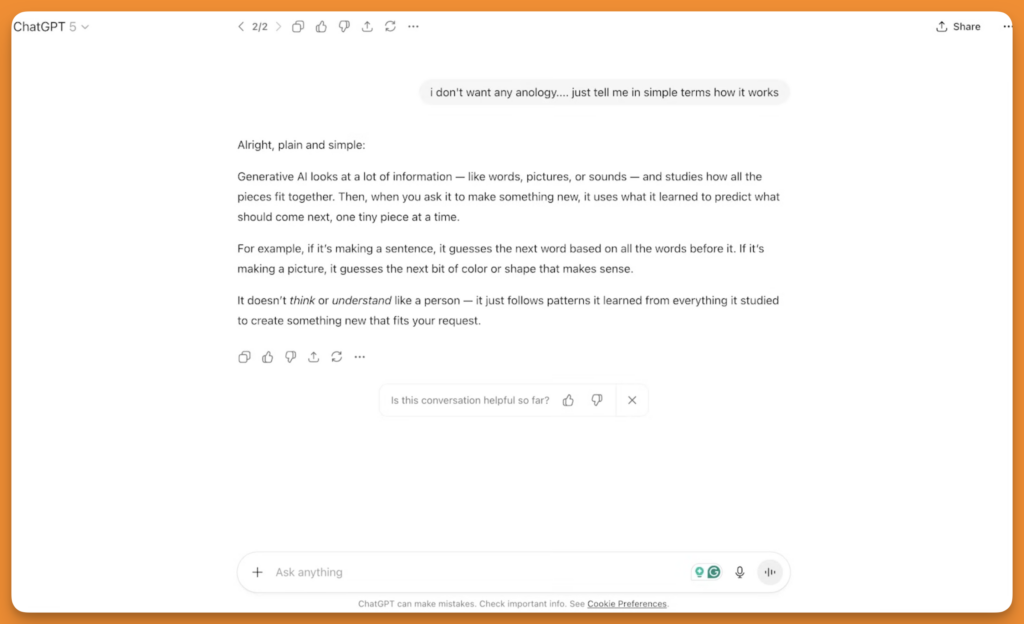
AI tools are not a magic wand, but they’re not a gimmick either.
If you know what you’re doing, if you know the context, tone, brand guidelines, end goal of a marketing piece, buyer persona, you can create pretty good content using generative AI tools.
#1 Integration: ChatGPT is deeply integrated into the workflows of content marketing teams now. Those who are not using Gen AI tools will be replaced very soon.
However, ChatGPT doesn’t have any native integration with Google Docs, Notion, or WordPress. Your team will need to copy-paste everything generated using ChatGPT into the editor they use for writing.
However, you can create a custom GPT that is trained on braind voice, editorial guidelines, audience persona, successful blogs, and scripts. This way, every writer can come up with talking points only based on successful resources, while still requiring to copy-paste in the CMS editor.
#2 Intent alignment: ChatGPT doesn’t have access to live SERPs data. Keyword intent classification, or real-time SERP analysis, should be a part of the workflow by default. I’m not talking about made-up insights, but actual data-backed insights from SERPs.
Since ChatGPT doesn’t know what’s ranking on SEPRs, a lot of content turns out to be generic by default. Only detailed input containing context around audience persona, SERP analysis, and insights from top-ranking pages can create decent content.
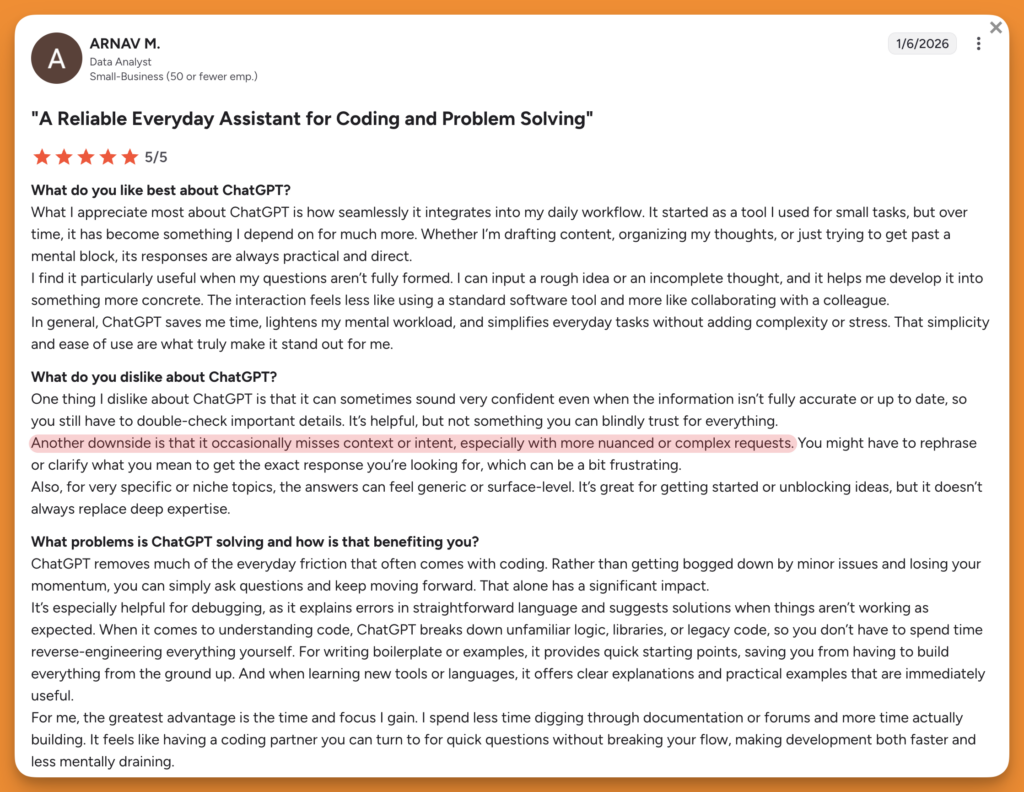
I’ve found several reviews from real users claiming ChatGPT is bad at matching the intent expected in the output.
#3 Privacy:
OpenAI trains its models based on your chats and data. While you can disable this, it’s turned on by default for all users.
Navigate to Settings » Data controls to disable.
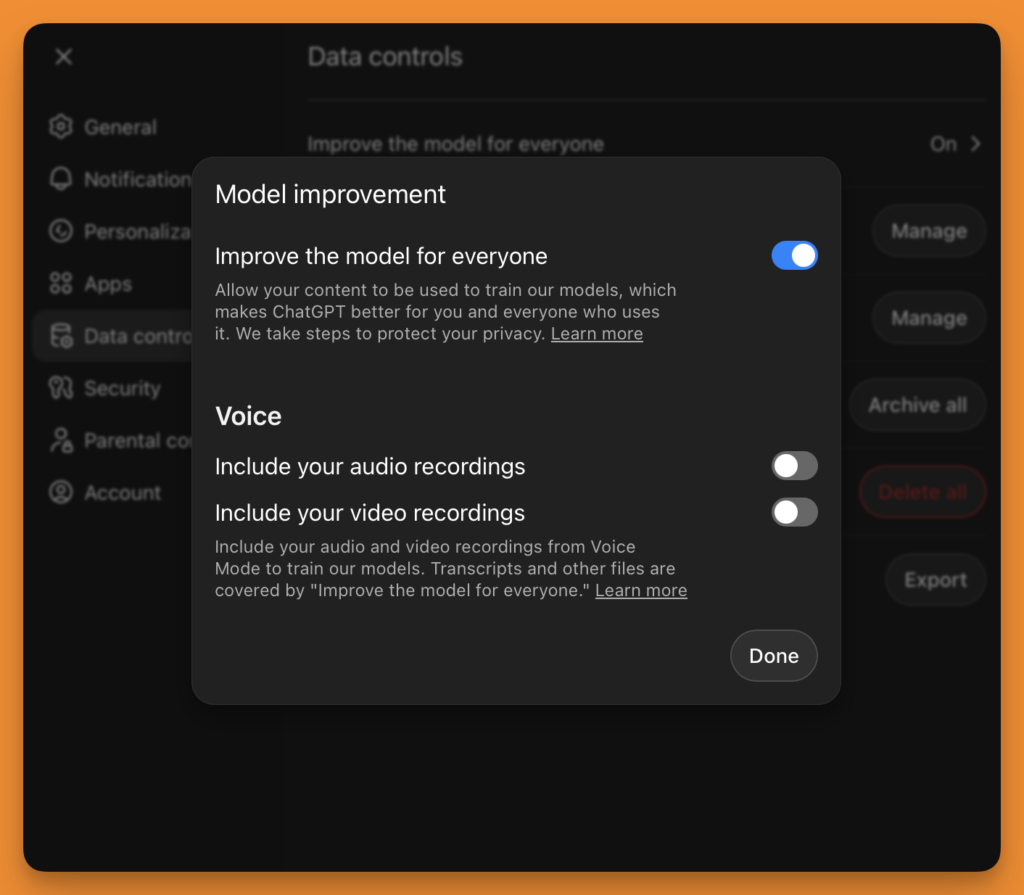
Despite this setting, OpenAI still saves your chats locally, but doesn’t train on them. Also, disabling training doesn’t delete chat history from the servers.
This means that if the writers in your team use ChatGPT for brainstorming and research, they might put your confidential data (in the name of context) at risk. You can use the Enterprise plan for privacy (these accounts have training disabled by default)
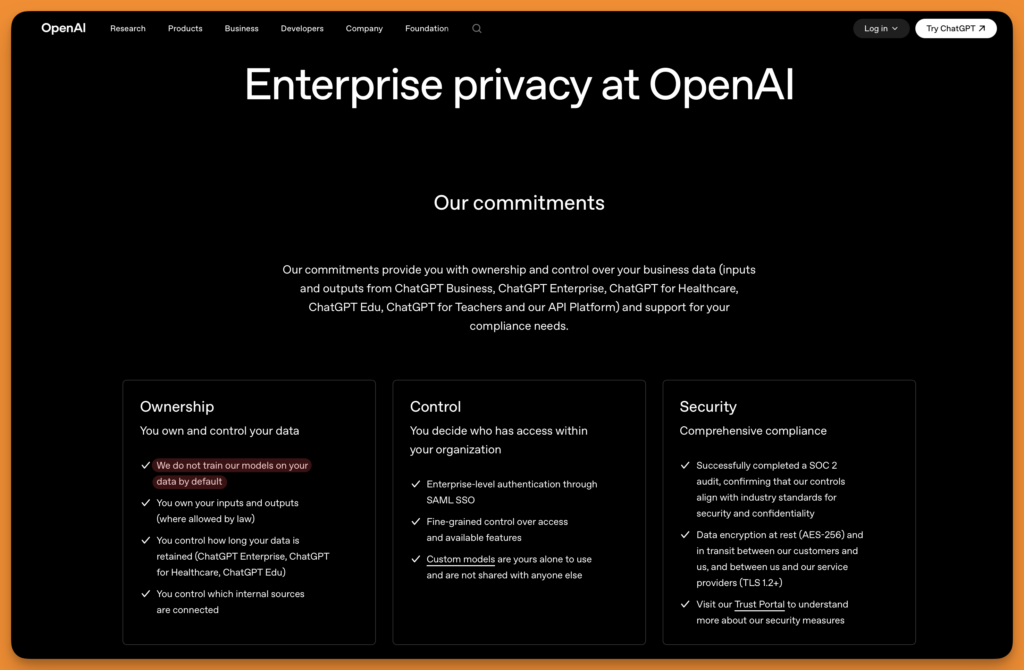
Even Business, Edu (Teacher and Students), Healthcare plans, and API platforms don’t use your data to train OpenAI models by default.
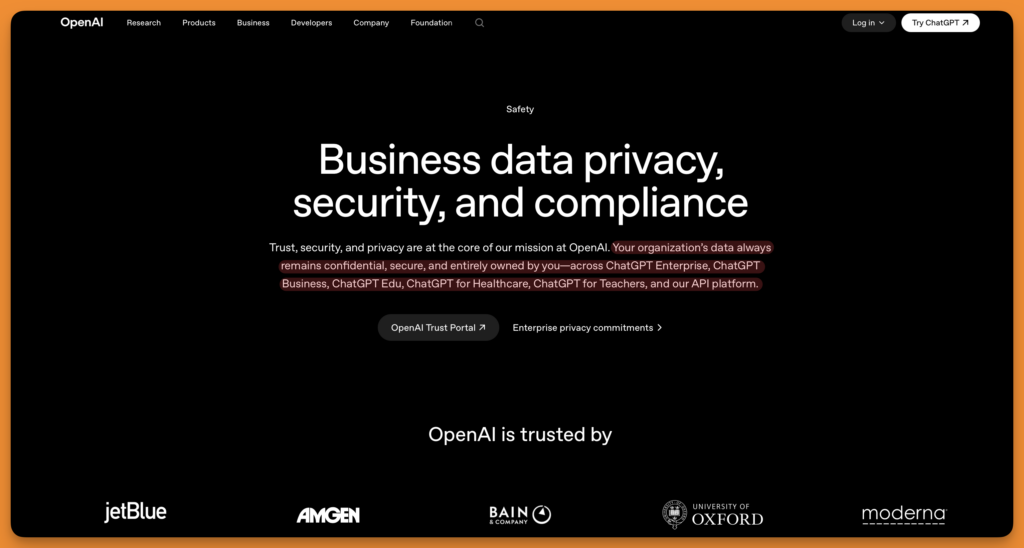
#4 Wrapper:
ChatGPT is OpenAI’s own product, and the models are the underlying intelligence that you interact with. There is no third-party integration involved. Hence, no dependency, no latency, and no third-party privacy terms.
#5 Specialist vs Generalist:
ChatGPT is the most generalist tool on this list. It handles code, data analysis, image generation (DALL-E), video through Sora, customer support scripts, legal summaries, and content writing, all from one interface.
Generalists, when paired with a specialist like SurferSEO, produce mind-blowing content for marketing if you know what you’re doing.
For content marketing teams, that generalism is a double-edged sword, useful when your day also includes writing email sequences, analyzing survey data in spreadsheets, or summarizing competitor research, and limiting when you need SEO-specific intelligence.
Unlike SurferSEO, ChatGPT has no content scoring, no rank tracking, no cannibalization detection, no keyword cluster analysis, and no post-publish monitoring. That’s not its core offering, hence no such features.
#6 Claude: Best AI Writing tool that requires least manual editing
My rating:
I haven’t tested Claude directly, but I’ve used Claude inside perplexity, and boy, it’s mind-blowing. The best generative AI model that you can find in the market right now. Sure, it doesn’t have the market share it deserves, but once it catches up, Claude will dominate.
Source: StatCounter Global Stats – AI Chatbot Market Share
#1 Integration: To match your workflow, even Claude doesn’t have a native plugin/addon for Google Docs, WordPress, or Notion. This adds more friction to your workflow.
However, you can connect Claude to your Google Drive, but it only does the basic tasks like search and summarize.
Unlike ChatGPT and Gemini, Claude connectors offer several integrations to perform various tasks without having to leave Claude’s interface. For example, Claude can connect to Ahrefs, which you can use for keyword research and SEO specifc tasks.
If you use Claude Opus 4.6, Claude Sonnet, 4, 4.5, and 4.6 have a context window of 1 million tokens. The larger context window can help you add more and larger resources.
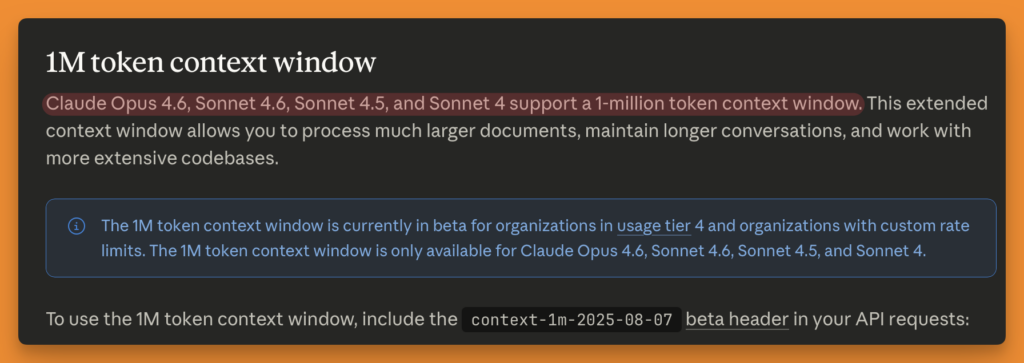
This means you can feed Claude a 10,000-word product documentation file, a persona doc, and five examples of their best-performing articles, and Claude uses all of that as context for the next draft, something ChatGPT’s shorter context window handles less reliably.
#2 Intent alignment:
Even Claude doesn’t have live SERPs analysis. It’s one of the core competencies is persona-based writing. Claude remembers why you’re writing a piece for a longer duration, because it breaks down larger tasks into small chunks. Most AI writing tools can’t do that, at least not this efficiently.
Claude is better at staying aligned with the intent you define in your brief over a long working session. Whether that brief reflects your actual audience’s intent is still entirely on your content strategist, Claude just executes against it more faithfully once the scope is defined.
Claude combines pieces of context from across long sessions without hallucinating, which means when your brief says “our ICP is a content lead at a 50-person SaaS company who’s burned by bad freelancers,” Claude is actually referencing that throughout the article, not just the first paragraph. ChatGPT and Gemini tend to drift from the brief as the conversation gets longer.
#3 Privacy:
Claude was one of the only tools that didn’t use chat data to train their models. That changed in Sept’25 when Anthropic decided to start using user chats to train their models.
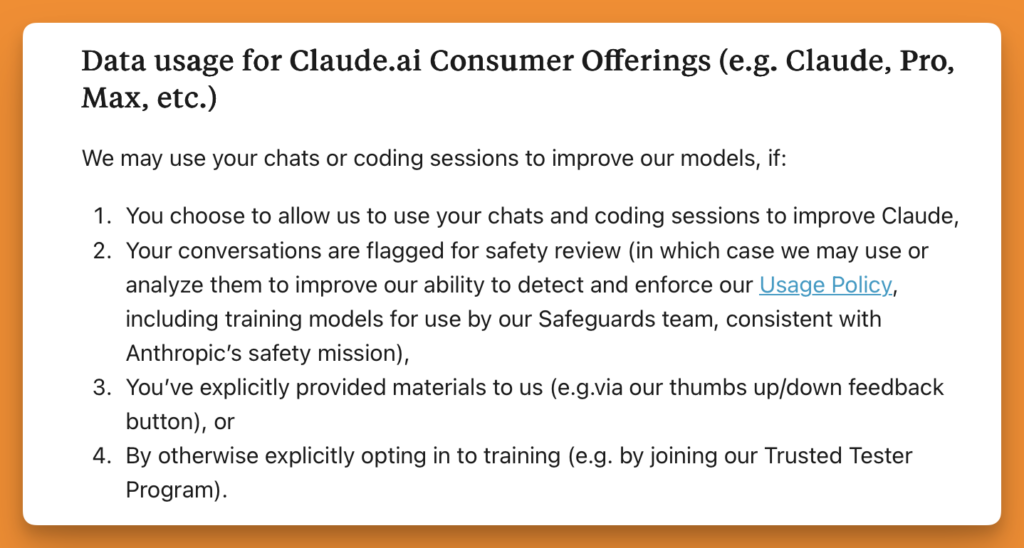
All users must have received the following updated privacy notice upon logging in to Claude. Accept it or don’t use Claude.
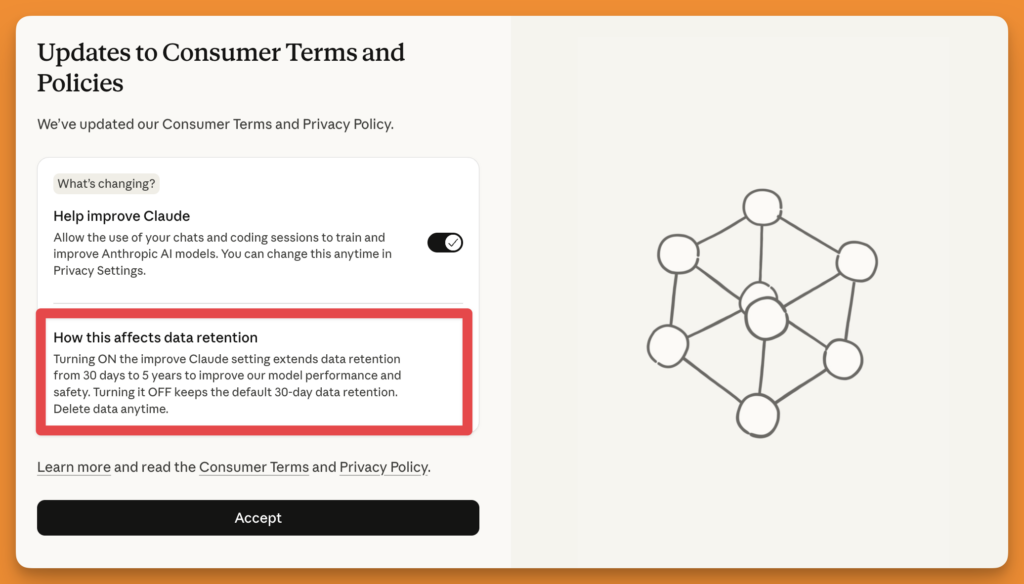
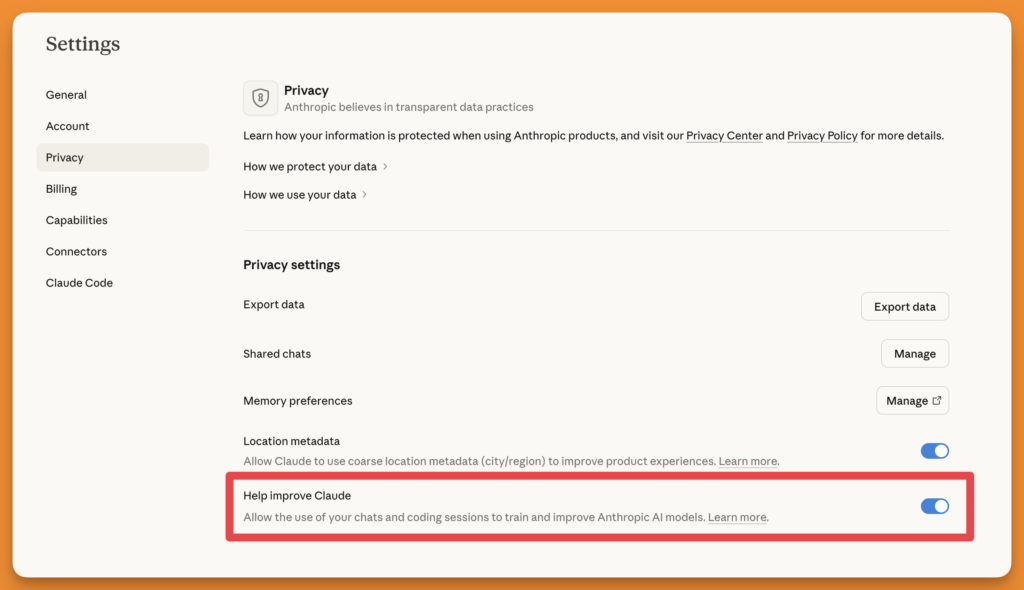
Once you accept it, access to your chats and data is granted by default, at least for now. However, you can turn off this access, but most users won’t.
Maybe these AI tools need human-generated content to train their models, rather than AI-generated content to train their AI. The fact that AI companies need access to user data to train their models tells me that AI tools will not replace human creators, the good ones.
These models will always need training and hence will remain behind human creators. I found this interesting discussion on Reddit around Claude’s privacy. It’s a good read for a fresh perspective.
From a content marketing point of view, you should keep an eye on these models to prevent them from training on your data. If privacy is a concern, you should either use AI models locally (ollama) at the cost of extreme processing power.
#4 Wrapper:
Claude is Anthropic’s in-house model, and no third-party models are involved. This means you have to deal with one less headache of worrying about which models are training on your data. In the case of Claude, there’s a clear answer that, if you’re using any model, your chats are used to train Claude’s models unless you opt out manually.
Anthropic builds, trains, and maintains the model independently, which means the privacy policy, data handling, and model behavior all sit under one company’s control. If you don’t mind training Claude’s models based on your company data, Claude will be a fantastic addition to your content marketing team.
Brainstorm, research, organize ideas, create outlines, and come up with talking points using Claude and write in SurferSEO. You’ll be unstoppable!
#5 Specialist vs Generalist:
Like ChatGPT and Gemini, Claude is a generalist. It can handle everything-content, code, and images to some extent. Since the context window is much larger, you can expect much better output that is contextually relevant to the sources you provide, the conversation you’ve had in the chat.
Despite being a generalist, thanks to the context window and memory, Claude’s output requires much less editing than that of other models.
Most people don’t even know about Claude yet. With time, when people start using the product more, things will get even better (thanks to training data created by humans)
Ready to pick the best AI writing tools for your workflow?
If you don’t want your copywriters to “rewrite” the same paragraph just to pass an “AI” test, you need to equip your team with a solid tool that doesn’t have AI at its foundational level. We are at a point in time where we must use gen AI tools or else we will be left behind. While making sure AI content isn’t imposed on your audience as is.
People aren’t dumb anymore, they will immediately identify AI slop just by reading a few words.
Despite adding context as input, the output won’t be contextually accurate. You will (& should) need to edit the output to make it appealing to ‘humans.’
What we discussed here helped you:
- Identify a tool that would find a place in your writing process without displacing your workflow
- Helped you create content that aligns with your buyer persona’s pain points and sells
- Pick a tool that either doesn’t train on your data, or gives you the power to opt out
- Choose a tool that creates content that is not AI slop, but real human experience
SurferSEO turns out to be an obvious choice for content marketing teams who take their marketing materials seriously, want privacy, and don’t want to compromise on content quality in the name of speed.
All this, while empowering the writers with an editor who guides them in the direction of creating a piece that stands a chance to rank on top of SERPs.
Claude can be a fantastic (I’d insist) addition to your content marketing workflow. SurferSEO takes care of live SERP analysis and keyword suggestion, while Claude takes care of research, brainstorming, outlines, drafts, and repurposing materials while keeping the human touch in the loop.
Note: Gemini is a close second because it integrates with all major tools that content marketing teams regularly use, but lacks quality output. Hopefully, the models will improve, and Gemini might become my go-to AI tool for brainstorming.
The other obvious options are good enough, but to make your workflow frictionless, SurferSEO and Claude are two options you should consider adding to your process.